How to compress an image to 20 KB, 50 KB or 100 KB for online forms
Job, exam and visa portals often reject photos that are too large, with limits such as 20 KB, 50 KB or 100 KB. You can meet them without a design app.
Quick method
- Choose your image in the compressor below.
- Enter the maximum size in KB, for example 50.
- Download the result and check that the file is under the limit.
Why file size changes
A JPG’s size depends on its pixel dimensions and its quality setting. Halving the width and height cuts the pixel count to a quarter. Lower quality discards fine detail. A good compressor lowers quality, and shrinks the dimensions if it must, until the file fits.
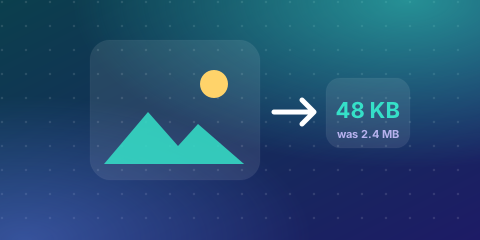 Skip the maths, try your own numbersExact KB Image CompressorFree, instant, no sign-up →
Tips for a clean result
- Start from the original photo, not a screenshot or an already-compressed copy. Repeated compression adds visible artefacts.
- Use JPG for photos. PNG is lossless, so photographs stay large.
- Check the portal’s pixel size too. Some forms need exact dimensions as well as a size cap, so resize first if needed.
- Very small targets (under about 20 KB) will soften detail. That is normal, so check the face is still clear.
Your photo stays private
The compression runs inside your browser. The image is not uploaded to a server, which matters for ID and exam photos.
Open the compressor below and set your target size.
Common size limits and what they mean
| Limit | Typical use | What to expect |
|---|---|---|
| 20 KB | Signatures, small ID photos | Small dimensions and visible softening |
| 50 KB | Passport-style photos on forms | Good for a face at 200 × 230 px or similar |
| 100 KB | Application photos, documents | Clear images at moderate dimensions |
| 200 KB | Larger profile images | High quality for screens |
Always read the form's instructions, because the required dimensions and file types differ between portals.
The two things that control file size
- Dimensions in pixels. A 4000 × 3000 photo is 12 megapixels. Resizing it to 600 × 450 reduces the pixels by about 98% before any quality loss.
- Quality setting. JPG quality runs from 0 to 100. Lowering it from 90 to 70 often halves the file with little visible change. Below about 40 you will see blocks and blurring.
The best approach is to resize first to the required dimensions, then lower the quality only as much as needed to meet the limit.
Step-by-step: compress to under 50 KB
- Open the compressor and choose your image.
- Type 50 as the maximum size in KB.
- If the form needs exact pixel dimensions, set them first.
- Download the result and check its size in your file manager.
- Zoom in to confirm the face or signature is still clear.
KB or KiB? Why the number may look different
Some systems count 1 KB as 1,000 bytes and others as 1,024 bytes. Windows and most file managers use 1,024. If a portal is strict about a limit, stay a few KB under it.
Which format should you use?
Use JPG for photographs, because it compresses natural images well. Use PNG for flat graphics, logos and screenshots with text. A scanned signature on white paper can be a small JPG or PNG after you crop and increase contrast. If the portal accepts only JPEG, convert first.
Fixing common problems
- File is still too big: reduce the pixel dimensions, then compress again.
- Image looks blocky: your target is too small for the dimensions. Increase the limit or reduce the size more.
- Portal rejects the format: save as JPG, not HEIC or WebP.
- Photo looks stretched: keep the aspect ratio when resizing.
- Text in a screenshot is blurry: use PNG or higher quality for text.
Photos from a phone
Phone photos are large, often 3 to 8 MB. Turn off special filters, shoot in good light and keep the face centred so you can crop closely. A closer crop lets you use fewer pixels while keeping the subject sharp.
Privacy of your photos
The compressor processes the image in your browser. Your ID photo or exam image is not uploaded to a server.
Troubleshooting: common problems and fixes
- The image is still over the limit. Reduce the dimensions first, then compress again.
- The result is blurry. The target is too small for the size. Raise the limit or reduce pixel size.
- The portal rejects the file. Check the format. Many portals accept JPG only and need exact dimensions.
- The face is cut off. Crop first so the face is centred, then compress.
- The signature looks faint. Increase contrast before compression, and use a dark pen on white paper.
Is image compression private?
The image is compressed in your browser. It is not uploaded to a server, which is useful for ID, exam and visa photos. Always read the form’s own rules for size, dimensions and format.
More free Zyphub tools you may need
- Exact KB Image Compressor: Compress an image to an exact KB size.
- Photo Resizer (Passport / Visa / ID): Exact pixels and KB for photo uploads.
- Image Converter: JPG, PNG and WebP.
Frequently asked questions
How do I compress an image to 50 KB?
Choose the image, set the maximum size to 50 KB and download the result. If it is still too large, reduce the pixel dimensions first.
Will compression reduce quality?
JPG compression is lossy, so some detail is lost. At moderate settings the change is hard to see. Very small targets cause visible softening.
Which format is best for small file sizes?
JPG for photos. PNG is lossless and usually larger for photographs.
Why is my compressed image still over the limit?
The dimensions may be too large for that target. Resize to the smaller pixel size, then compress again.
Is it safe to compress an ID photo online?
With a browser-based tool the image stays on your device and is not uploaded.
How do I reduce a photo to 100 KB without losing quality?
Resize to the needed dimensions, then use a quality of around 70 to 85. Small photos at moderate quality are usually clear.
Can I compress a PNG to 50 KB?
Yes, but photographs in PNG are large. Convert to JPG for better results.