HEIC to JPG: what HEIC is and three ways to convert iPhone photos
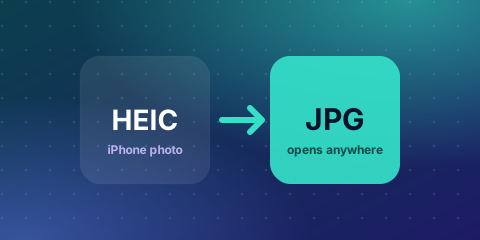
Since iOS 11, iPhones save photos in HEIC (also called HEIF) by default. The format keeps good quality at a smaller file size, but many websites, Windows apps and printers cannot open it.
Option 1: Convert in your browser
Use the converter below. Choose your HEIC files and download JPGs. The conversion happens on your device, so your photos are not uploaded.
Option 2: Shoot as JPG
On an iPhone, go to Settings → Camera → Formats and choose Most Compatible. New photos will be saved as JPG. This does not change photos you already took.
 Skip the maths, try your own numbersHEIC to JPG ConverterFree, instant, no sign-up →
Option 3: Let iPhone convert when you share
In Settings → Photos, under Transfer to Mac or PC, choose Automatic. Photos are then converted to a compatible format when you move them to a computer.
What to expect
- JPG files are usually larger than the HEIC originals.
- JPG uses lossy compression, so keep the HEIC original if you may edit the photo later.
- Live Photos convert to a still image.
Drop your HEIC files into the converter below to start.
What HEIC is and why Apple uses it
HEIC is Apple's name for images stored in the HEIF container using HEVC compression. It was introduced on iPhones with iOS 11. At comparable quality it makes files roughly half the size of JPG, so more photos fit on your phone. It also supports 10-bit colour, depth data and Live Photos.
Why HEIC causes problems
Many websites, forms, older Windows versions, printers and apps expect JPG or PNG. If a portal says "invalid file type" when you upload an iPhone photo, HEIC is the usual reason. Converting the file to JPG fixes it.
Open HEIC files on other devices
- Windows 10 and 11: install the HEIF Image Extensions from the Microsoft Store. Some versions also need the HEVC video extension.
- Mac: open in Preview and choose File, Export, then JPEG.
- Android: recent versions and Google Photos can open HEIC. Otherwise convert it.
- Web: convert to JPG before sharing or uploading.
Convert many files at once
Select all the HEIC files in the converter below. Each one is converted separately and you can download them one by one. Convert in small batches if you have a lot of high-resolution photos, to keep your browser responsive.
Will converting change quality or size?
JPG is a lossy format, so a conversion discards a little data. At high quality the difference is hard to notice. The JPG will usually be larger than the HEIC original. If you need it smaller for a form, use the image compressor next.
What happens to metadata, location and Live Photos?
Date and camera information may be kept, depending on the converter. Location data can reveal where you live, so remove it before posting photos publicly. A Live Photo becomes a single still image when converted, and the short video is not kept.
Change your iPhone settings for future photos
Go to Settings, Camera, Formats and choose Most Compatible to save new photos as JPG. This uses more storage. Choose High Efficiency to keep HEIC and save space. You can also set Photos to transfer automatically in a compatible format when you connect to a computer.
Troubleshooting
- Converted image is sideways: orientation data may not be applied by an old viewer. Rotate and save.
- Colours look flatter: HDR and wide colour range are reduced in a standard JPG.
- Very large file: compress after converting.
- Cannot upload after converting: check the portal's size limit and dimensions.
Privacy
The conversion runs in your browser, so your photos are not uploaded to a server.
Troubleshooting: common problems and fixes
- The converter does not open my file. Check that the file is a real HEIC and not damaged. Try exporting again from Photos.
- The output is rotated. Rotate it and save, or check that the converter applied orientation.
- Large batch is slow. Convert in smaller groups so the browser stays responsive.
- Colours look duller. JPG has a smaller colour range than HEIC. Edit before you convert if colour matters.
- Portal still rejects the file. Check size, dimensions and format. Compress after converting if needed.
Is HEIC conversion private?
The conversion runs in your browser, so photos are not uploaded to a server. Photos may contain location and device data, so remove metadata before sharing them publicly.
More free Zyphub tools you may need
- HEIC to JPG Converter: Convert iPhone photos to JPG.
- Exact KB Image Compressor: Compress an image to an exact KB size.
- Image Converter: JPG, PNG and WebP.
Frequently asked questions
What is a HEIC file?
HEIC is the image format iPhones use by default. It keeps good quality at about half the file size of JPG.
How do I convert HEIC to JPG?
Select your HEIC files in the converter and download the JPG results. The conversion runs in your browser.
How do I make my iPhone save photos as JPG?
Go to Settings, Camera, Formats and choose Most Compatible. This affects new photos only.
Why can’t I open HEIC on Windows?
Older Windows setups lack the codec. Install the HEIF Image Extensions from the Microsoft Store or convert to JPG.
Does converting HEIC to JPG reduce quality?
Slightly, because JPG is lossy, but at a high quality setting the difference is rarely noticeable.
Is HEIC better than JPG?
HEIC keeps similar quality at a smaller size and supports more colour depth, but JPG is more widely supported.
Can I convert HEIC to PNG?
Yes. Convert HEIC to JPG or PNG, then use the image converter if you need another format.